Choosing between a website builder, a hosted CMS and separate web hosting is less about finding a universally “best” product than matching a platform to the work your team will repeatedly do. A polished launch matters, but the operating model after launch matters more: who changes pages, who owns domains and DNS, where help comes from, and how much maintenance the site can absorb.
For a small business or independent creator, the most useful comparison starts with real responsibilities rather than feature lists. Write down the changes you expect to make each month, the people who will make them and the technical tasks that cannot be left unresolved. Then assess each platform model against that list. This approach makes a modest platform with a clear workflow more attractive than an over-capable one that nobody can operate confidently.
Start With the Work Your Website Must Support
Begin with the jobs the website has to do in ordinary weeks. A brochure site with occasional service updates has a different operating profile from a shop, a membership site, a publication or a business that depends on booking, lead capture and frequent campaign pages. The relevant question is not simply whether a feature exists; it is whether the right person can use it at the moment it is needed.
Map the likely work into four groups: content changes, commercial changes, technical administration and incident response. Content might include editing copy, publishing an announcement or replacing an image. Commercial work can include updating an offer, adding a product or changing a conversion page. Technical administration includes domains, DNS, email, access permissions and backups. Incident response is the path your team follows when a form fails, a domain needs reconnecting or a published change goes wrong.
This map also exposes hand-offs. If a non-technical colleague needs a developer for every routine edit, the platform may create an unnecessary queue. If a technically complex site is run entirely through a simplified editing interface, the team may instead lack the controls needed to resolve a problem safely. Select for the recurring work, then make sure the exceptional work has a realistic owner.
Match Editing Workflow to the People Doing the Work
An integrated website builder generally suits teams that want routine publishing, layout changes and basic site administration in one guided environment. Its value is not that it removes every technical decision; it is that it can reduce the number of separate tools an editor must understand. That can be useful when the owner, marketer or administrator needs to keep pages current without relying on a developer for ordinary work.
A hosting-led setup can be a better fit where the business already has a developer, uses a CMS with a defined editorial process or needs more freedom over the site’s technical stack. The trade-off is that publishing may involve more components: the CMS, hosting account, extensions, deployment process and access controls. More flexibility can be worthwhile, but only when someone is accountable for operating it.
Define the editing workflow before buying. Identify who may draft, review and publish a change; whether changes need approval; and which work should be reserved for technical owners. Give everyday editors the narrowest access that still lets them do their jobs. For example, an editor might update service pages, while a technical owner handles domain settings, integrations and user permissions.
Support materials can reveal the kinds of tasks a platform expects users to manage. Wix’s support entry point invites detailed questions and surfaces topics such as connecting a domain, choosing a premium plan, creating a dynamic page, running Google Ads and connecting external email. Squarespace’s Help Center presents product browsing, topic guides and video learning. These are not proof that either platform will fit every business, but they are useful prompts: could your team find and follow the help it would need for its normal tasks?
A practical test is to ask a likely editor to walk through three anticipated changes: publish a new page, revise an existing offer and restore a mistaken update. If the steps require specialist knowledge or an unclear approval chain, account for that operating cost before committing.
Decide How Much Hosting Control You Actually Need
Hosting control is not an abstract technical preference. It becomes important when your website needs direct management of a domain, DNS records, files, backups, email, databases, certificates or server-level settings. A business that only needs to update pages may reasonably prefer a managed environment that hides much of this complexity. A business with several connected services, custom software or a technical team may need clearer access to the underlying controls.
Hostinger’s Support Center illustrates the breadth of operational areas that can sit behind a hosting-led service. Its published categories include hPanel, domains, DNS, files, email, MySQL databases, SSL certificates and PHP, alongside website and VPS resources. That range is a useful reminder that “hosting” can involve far more than putting pages online.
Do not treat direct access as automatically better. Each extra control can create an extra responsibility: someone must understand the setting, make the change safely and recover when it has unintended consequences. Equally, do not assume a managed platform removes all technical obligations. You may still need to manage ownership, billing, connected domains, email and access to third-party tools.
Make a short control inventory. List the services your website depends on now and those likely to arrive in the next year. For each one, decide whether you need to change it directly, delegate it to a supplier or simply have a documented escalation path. A platform is a stronger fit when that inventory matches its actual administrative model rather than its marketing label.
Treat Support Resources as Part of the Operating Model
Support is part of the platform decision because a problem is only manageable if your team can find an answer or route it to the right place. Review the provider’s support centre before purchase, not only when something has already failed. Look for whether it covers your likely tasks in language your team can understand, whether it distinguishes product areas clearly and whether its search or guided-help experience is usable for non-specialists.
The official resources supplied by Hostinger, Wix and Squarespace show three different ways of organising self-service help. Hostinger publishes a broad category structure that spans control-panel, domain, DNS, file, email, database, certificate and configuration topics. Wix foregrounds question-led assistance and common operational topics. Squarespace offers product browsing, topic guides and video learning. These examples do not establish a universal ranking for support quality, but they show why help resources should be assessed as a working tool rather than a checkbox.
Use the support review to test your own scenarios. Can you find guidance for connecting a domain, giving a colleague access, changing email settings, recovering content, updating billing details and handling a security-related setting? Can a non-technical owner recognise when to stop and escalate? If your business relies on an agency or developer, agree who contacts support and who has the account authority before an incident occurs.
Document the answers in a simple operating note: platform owner, domain owner, billing owner, technical contact, editor permissions and escalation path. This is often more valuable than a long feature comparison because it makes responsibility visible when the website is under pressure.
Plan for Maintenance, Growth and Changing Requirements
The initial site is rarely the final operating state. A simple site may later need more landing pages, new editors, email integration, customer accounts, a shop, analytics changes or custom functionality. Planning for growth does not mean paying for every possible future feature now. It means recognising the points at which your current platform and team arrangement may stop fitting.
Consider maintenance in practical terms. Who reviews old pages? Who renews the domain and subscription? Who checks connected email, forms and integrations after a change? Who keeps account access current when people leave? A managed builder can reduce the number of moving parts for a small team, while a more self-managed arrangement can give technical teams room to adapt. Neither outcome is inherently right; the cost is the mismatch between the model and the people available to run it.
Also plan for reversibility. Keep a current record of domains, account owners, key integrations and exported content where the platform allows it. Know which parts of the site are easy to recreate elsewhere and which would require specialist work. This does not mean you should expect an immediate migration. It gives you a calmer basis for deciding whether to extend the current setup, add specialist support or move later.
Review the fit at business milestones rather than waiting for a crisis: a new service line, a change of agency, a major increase in content volume, a new sales channel or the arrival of a technically capable team member. A planned review is usually easier than a rushed platform decision during an outage or campaign deadline.
Use a Practical Platform-Fit Checklist
AI-generated generic editorial illustration — not a retailer product photo and does not depict the reviewed product or service. Give readers a scannable visual aid for applying the platform-fit checklist to their own operating needs.
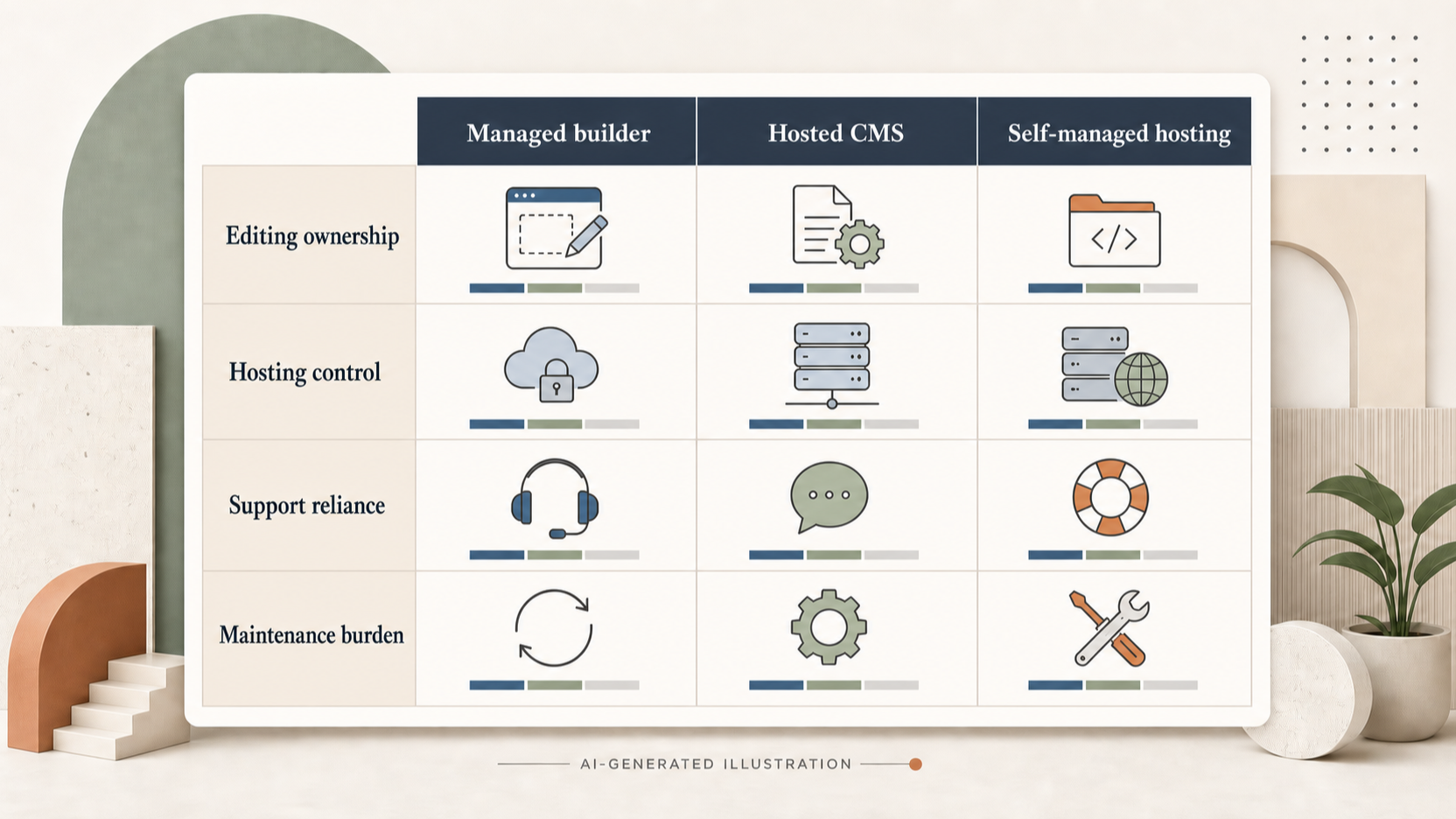 Use the following checklist to narrow the choice to the platform model your team can genuinely operate:
- List the recurring jobs. Include publishing, offers, forms, domain changes, email, user access, billing and recovery from mistakes.
- Name the people. Identify the editor, approver, account owner and technical escalation contact for each job.
- Set the required level of control. Decide whether your site needs direct access to DNS, files, databases, certificates or configuration, or whether a managed workflow is sufficient.
- Test the help route. Search the official support resources for two or three tasks you expect to perform. Check whether the guidance is understandable to the person who will use it.
- Estimate maintenance honestly. Include subscriptions, renewals, updates, access reviews, integrations and occasional specialist help—not just the launch cost.
- Validate published terms before purchase. Confirm the current plan, included capabilities, account ownership arrangements and support route directly with the provider’s published information.
A useful final comparison is a small decision matrix. Score each option against editing ownership, hosting control, support reliance and maintenance burden. Do not treat the highest total as automatic. Discuss the lowest score: it often identifies the risk that will shape daily experience, such as an editor who cannot publish independently or a technical dependency nobody has agreed to own.
Choose the smallest defensible next step. That may be a short trial, a controlled content migration, a test domain connection or a documented walkthrough with the people who will operate the site. The goal is evidence that the workflow works for your team, not a promise that it will work in theory.
Frequently Asked Questions
Should a small business choose a website builder or separate web hosting?
Choose the model that matches the work and the people available. A website builder can suit a team that wants guided, frequent content changes in one environment. Separate hosting can suit a business that needs greater technical control or already has someone able to manage the CMS, hosting and connected services. Start with recurring tasks and ownership rather than the labels “builder” or “hosting”.
How much technical access does a growing website need?
It needs enough access to operate the services the business relies on, with a clear owner for each one. If your website depends on direct DNS, file, database, certificate or configuration changes, record that requirement early. If not, a managed platform may be easier to run. More access is useful only when the team can use it safely or has a dependable escalation path.
What should I check about support before choosing a website platform?
Check the official support resources against real scenarios: connecting a domain, managing access, dealing with email, correcting a publishing mistake and understanding account or billing changes. Assess whether the likely user can find and follow the guidance. Also decide who holds account authority and who escalates a problem when self-service guidance is not enough.
When is it sensible to plan a website-platform migration?
Plan when a continuing mismatch becomes visible: routine changes depend on unavailable specialists, required technical controls are missing, maintenance is no longer sustainable or the business has developed needs the current operating model cannot support. Planning does not require an immediate move. It gives you time to document ownership, identify dependencies and evaluate options before urgency dictates the decision.
Sources
Related reading
- Hostinger vs SiteGround: hosting features, support and value compared
- SiteGround review: who it suits and who should skip it
- Wix review: practical website-builder assessment for UK small businesses
- How to choose a website builder or web host for your needs
Editorial information: About our editorial team · Read our editorial policy · Read our affiliate disclosure.